React, Vue, Angular, and Next.js power a huge share of modern web apps, and they deliver fast, app-like experiences. But they carry a hidden cost: search engine invisibility. If your website relies entirely on Client-Side Rendering (CSR), Googlebot may crawl your domain and see nothing but an empty <div id="root"></div>.
No indexing means zero organic search visibility. We have audited dozens of client-side rendered sites and seen the same patterns behind most indexing failures. Our technical SEO audit service inspects core JavaScript rendering patterns so dynamic client apps become instantly indexable.
1. Why Googlebot Fails to Index Single Page Apps
Googlebot struggles with single page apps because content built in the browser is not in the HTML it first downloads. Google has to queue the page for rendering before it sees that content, and any delay or rendering failure leaves pages partly indexed or not indexed at all.
Googlebot operates via a two-stage processing pipeline:
<!DOCTYPE html>
<html>
  <head><title>My React App</title></head>
  <body>
    <!-- Googlebot crawl phase sees ONLY this blank container: -->
    <div id="root"></div>
    <script src="/bundle.js"></script>
  </body>
</html>
Google's Web Rendering Service (WRS) uses headless Chromium to run JavaScript, but rendering happens after crawling, in a separate queue. Most pages render quickly, but delays and failed renders still happen, especially on large sites, heavy JavaScript bundles, or blocked resources. Until a page renders, Googlebot only sees the initial HTML.
📊 Real-World Impact
When key content exists only after JavaScript runs, any rendering delay or failure means that content is not indexed. On a client React app we audited, fewer than 25% of dynamic routes were indexed before moving to SSR, compared to 100% indexed within two weeks after switching to server-side rendering.
2. SSR vs SSG: Which Fix Is Right for Your App?
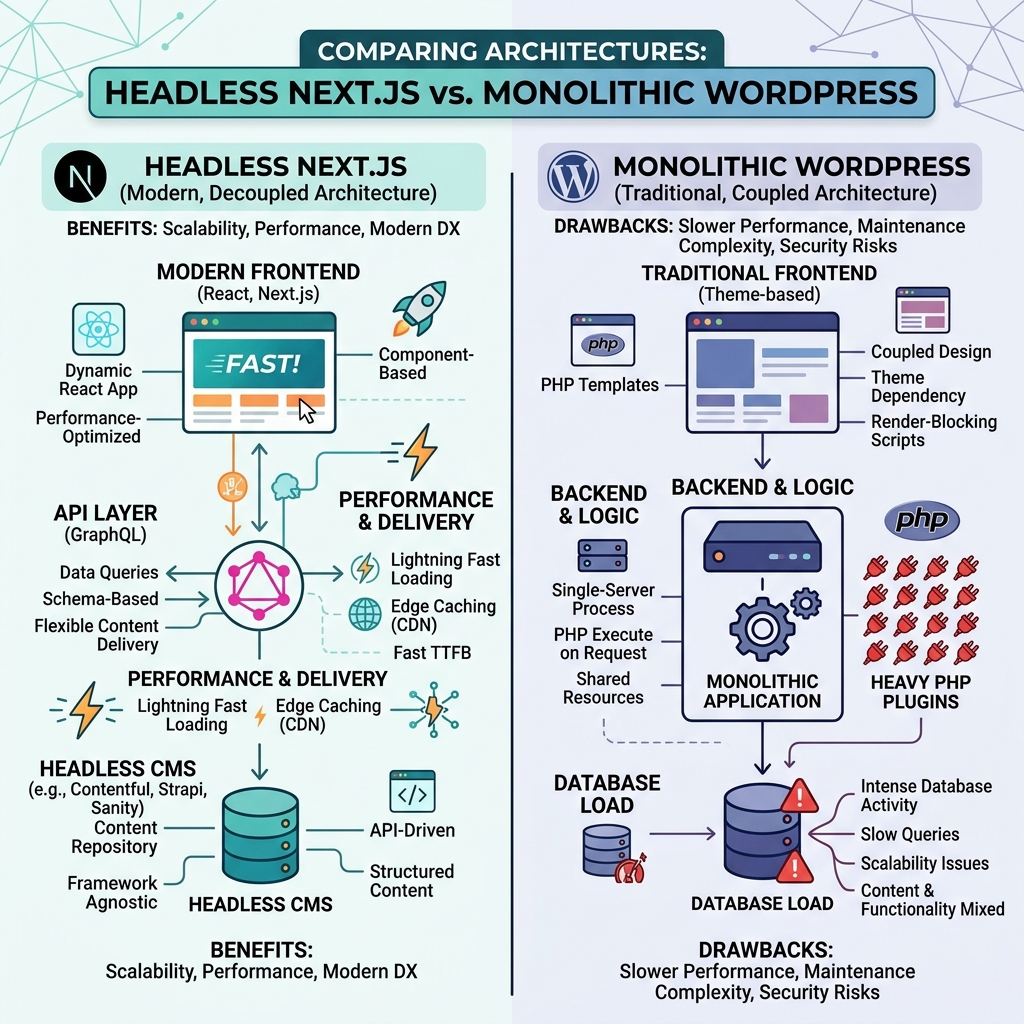
The most reliable fix is to send complete HTML from the server. Use SSR when content must be fresh on every request, SSG when pages rarely change, and ISR when you want static speed with periodic updates.
- Server-Side Rendering (SSR): The server builds full HTML for each request, so Googlebot gets indexable content on the first crawl. In the Next.js App Router, pages are Server Components by default; in the Pages Router, use
getServerSideProps. Best for: real-time data and personalized public pages. - Static Site Generation (SSG): Pages are built ahead of time and served as static HTML from a CDN, which usually gives very low TTFB. Best for: blogs, landing pages, product catalogs.
- Incremental Static Regeneration (ISR): Static speed with background regeneration, so pages stay reasonably fresh without a full rebuild. Best for: pricing pages, product pages, news feeds.
| Approach | HTML Googlebot receives | Best for | Trade-off |
|---|---|---|---|
| CSR | Empty shell | Logged-in apps | Content can be missed or indexed late |
| SSR | Complete HTML | Pages that change per request | Server cost, slower TTFB |
| SSG | Complete HTML | Pages that rarely change | Rebuild needed to update |
| ISR | Complete HTML | Pages updated periodically | Can be stale until revalidation |
3. 7-Point JavaScript SEO Audit Checklist
To audit a JavaScript site, compare what Googlebot downloads with what it renders. If important content, links, canonical tags, or meta tags only appear after JavaScript runs, they are at risk. Work through these seven checks on a sample of ten URLs.
- ✅ GSC URL Inspection: Open "View Tested Page" and match the raw "Page source" with the "Rendered HTML". If text content is missing in the raw HTML tab, Googlebot depends on WRS rendering.
- ✅ View Source Test (Ctrl + U): If your page's core copy is not in the raw HTML response, search crawlers cannot access content until client-side scripts complete.
- ✅ Server-Rendered Canonical Tags: Canonical tags must compile in the initial server response, not injected via JavaScript
useEffector DOM manipulation. - ✅ Real HTML Anchor Links: Replace
onClickevent listeners on navigation elements with standard<a href="/target-url">tags. Googlebot does not simulate button clicks. - ✅ Critical Meta Data in Head: Ensure meta titles, meta descriptions, and structured schemas are loaded in the initial HTML document.
- ✅ Eliminating Hidden Lazy Loads: Shift critical copy out of client-side tab panels or infinite scroll containers so it renders in the initial DOM structure.
- ✅ Clean URL Structure: To audit redirection chains and crawl budget status, review our Complete SEO Guide 2026.
4. Dynamic Rendering: A Bridge Solution
Dynamic rendering serves pre-rendered HTML to crawlers while users get the normal client-side app. Common tools include Puppeteer and Prerender.io. Google describes it as a workaround rather than a long-term solution, so use it as a bridge and plan a move to SSR or static generation. For help implementing it, see our technical SEO audit services.
5. Impact on AI Search Engines (GEO Perspective)
Googlebot can render JavaScript, but many AI crawlers do not. Crawlers behind AI search and chat products, such as OpenAI's GPTBot, Perplexity's PerplexityBot, and Anthropic's ClaudeBot, generally fetch raw HTML only. If your content appears only after JavaScript runs, those systems may see an empty page and have nothing to cite.
How to test it: request the page without running JavaScript and search for your main heading.
curl -s -A "Mozilla/5.0 (compatible; GPTBot/1.0)" https://www.example.com/your-page | grep -i "your main heading text"If nothing matches, your content is not in the raw HTML. SSR or static generation fixes this for both Google and AI crawlers. Also check that your robots.txt does not block the AI crawlers you want citations from. For the wider GEO framework, read our Complete SEO Guide 2026.
6. Free Tools to Debug JavaScript Indexing Issues
To debug JS indexing effectively, compare what search engine crawlers receive in raw HTML versus rendered JavaScript output using these essential tools:
- Google Search Console (URL Inspection): Live testing tool that provides Googlebot's exact rendered DOM screenshot and raw response HTML.
- Chrome DevTools (Disable JavaScript): Turn off JavaScript in Settings > Preferences > Disable JavaScript, then reload—what remains visible is what crawlers see in raw HTML.
- Screaming Frog SEO Spider: Toggle to JavaScript rendering mode to identify blank pages across your full crawl depth.
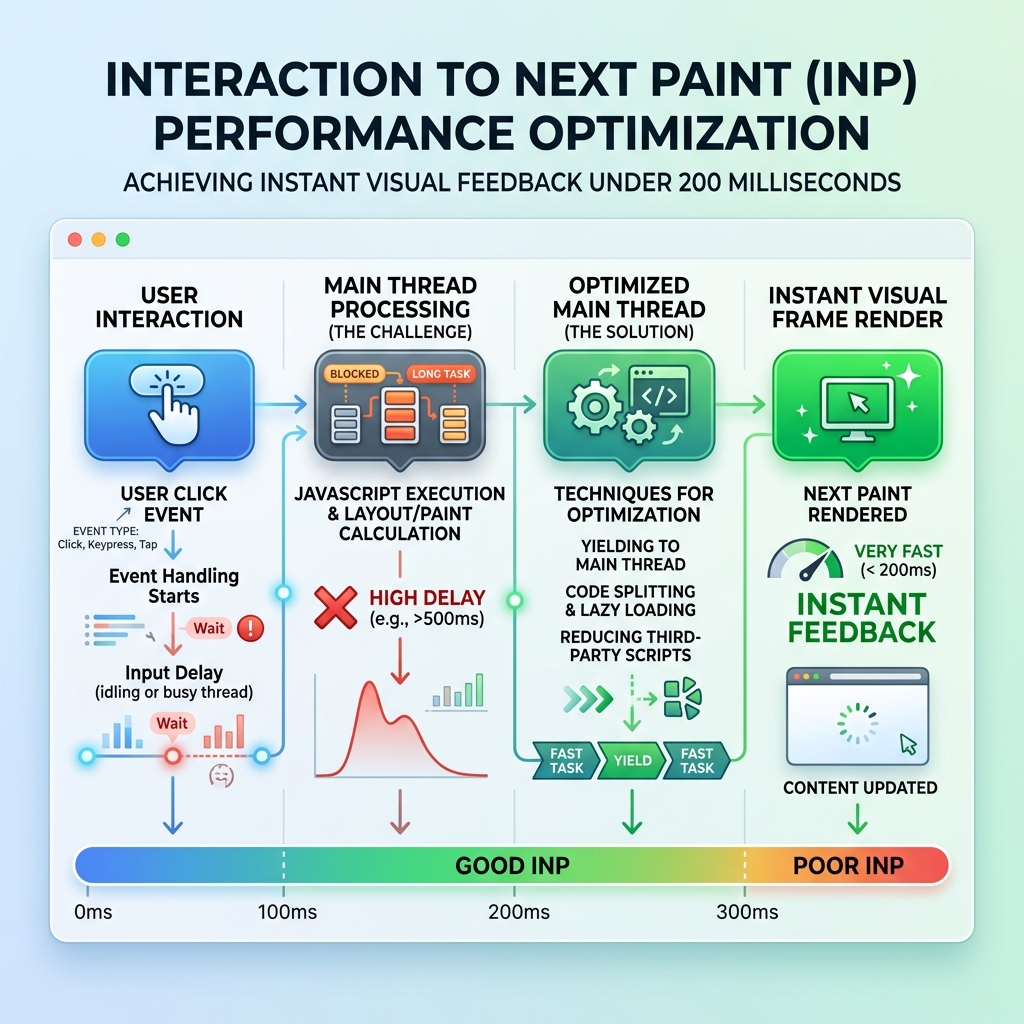
- Core Web Vitals & INP: Heavy render-blocking JavaScript degrades user interaction; for optimization strategies, inspect our website design trends 2026.
If your React or Next.js app is struggling with low organic indexing rates and search visibility, the root cause is often rendering timing. Book a free technical consultation with Webduo's engineering team to audit your JS rendering architecture.